
- Custom design UI and UX Design
Custom Signup Forms & Approval Workflow App for BigCommerce
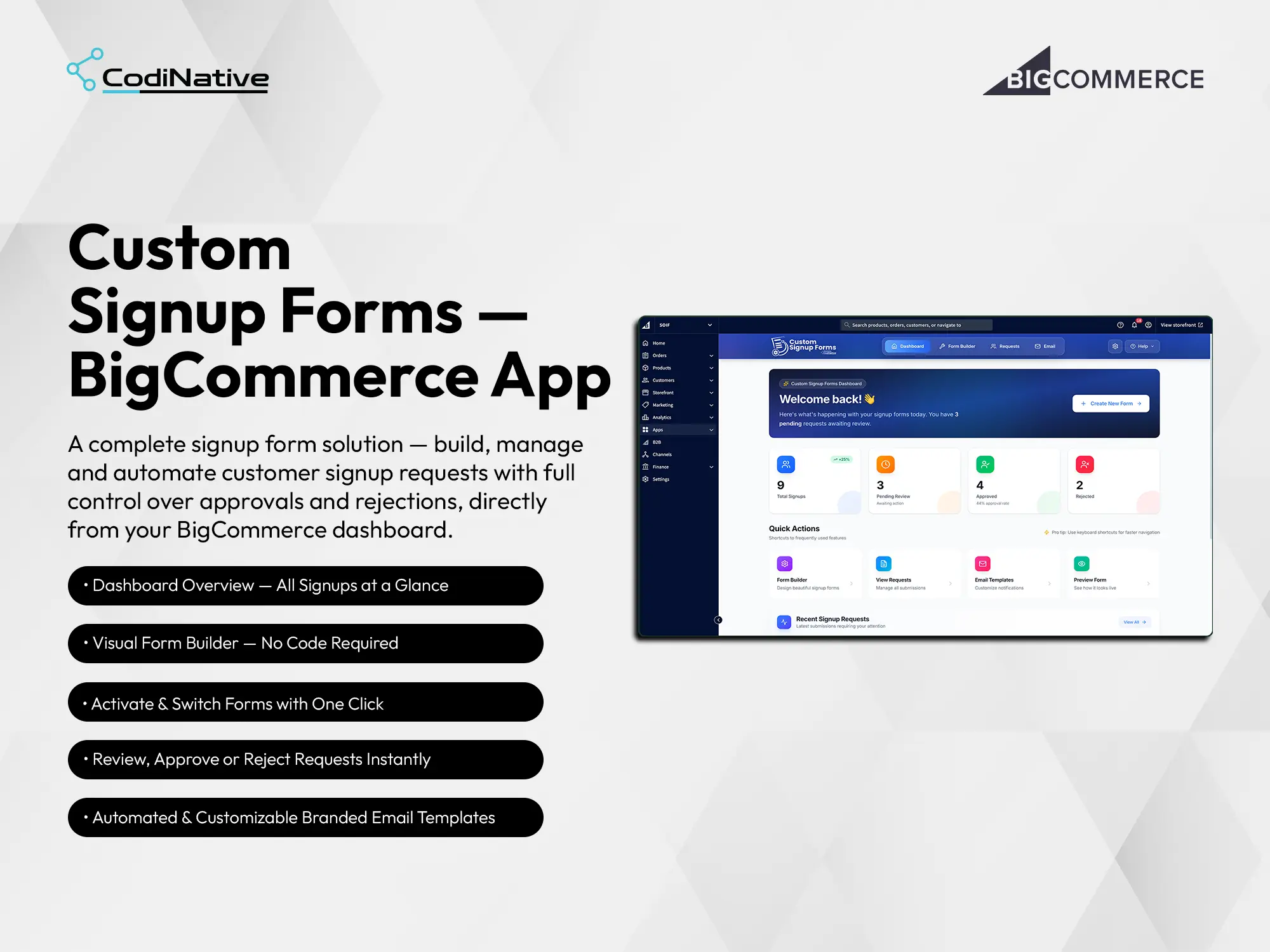
- before
The BigCommerce Signup Challenge for B2B and Wholesale Merchants
BigCommerce ships every merchant the same registration form. It collects a name, an email, and a password, and it creates an account on the spot no review, no qualification, no custom data.
That works for a standard retail store. It breaks immediately for merchants running wholesale programs, trade pricing, B2B onboarding, or members-only access. They need to know who is signing up before granting access. They need custom fields company name, trade pricing eligibility, purchase intent, tax ID. They need an approval step that sits between the application and the account.
Without a solution built for BigCommerce, merchants were stitching together generic form plugins with no real platform integration, creating customers manually inside the admin, and managing approvals through email threads. Submission data lived in spreadsheets. Nothing connected back to the customer record in BigCommerce. The process was slow, inconsistent, and entirely dependent on someone remembering to follow up.
- After
The Custom BigCommerce Approval Workflow Solution
Codinative built a custom BigCommerce app that replaces the default registration flow with a controlled, branded, fully automated onboarding pipeline.
It installs natively into the merchant’s BigCommerce control panel through the App Development Framework, authenticated via OAuth 2.0. Customer creation on approval goes through the REST API v3. The active form injects into the storefront through the Scripts API. Every state change fires through Webhooks that trigger the correct branded email the moment a decision is made.
Merchants build forms visually without writing code. Every submission enters an approval queue. Approvals create a real customer in BigCommerce with all submitted data attached. Rejections and resubmission requests send the right branded email automatically. The entire pipeline lives in one dashboard inside the control panel. No spreadsheets. No manual emails. No developer needed after install.
BigCommerce Approval Workflow Development: Situation, Task, Action, Result
The Situation: Limits of Default BigCommerce Registration
The Task: Building a Custom Approval Workflow
The Action: Custom BigCommerce App Development
The Result: Automated BigCommerce Signup & Onboarding
- Approval Workflow
- Branded Emails
- REST API v3
- OAuth 2.0
- Webhooks
Core Features of the BigCommerce Signup & Approval App
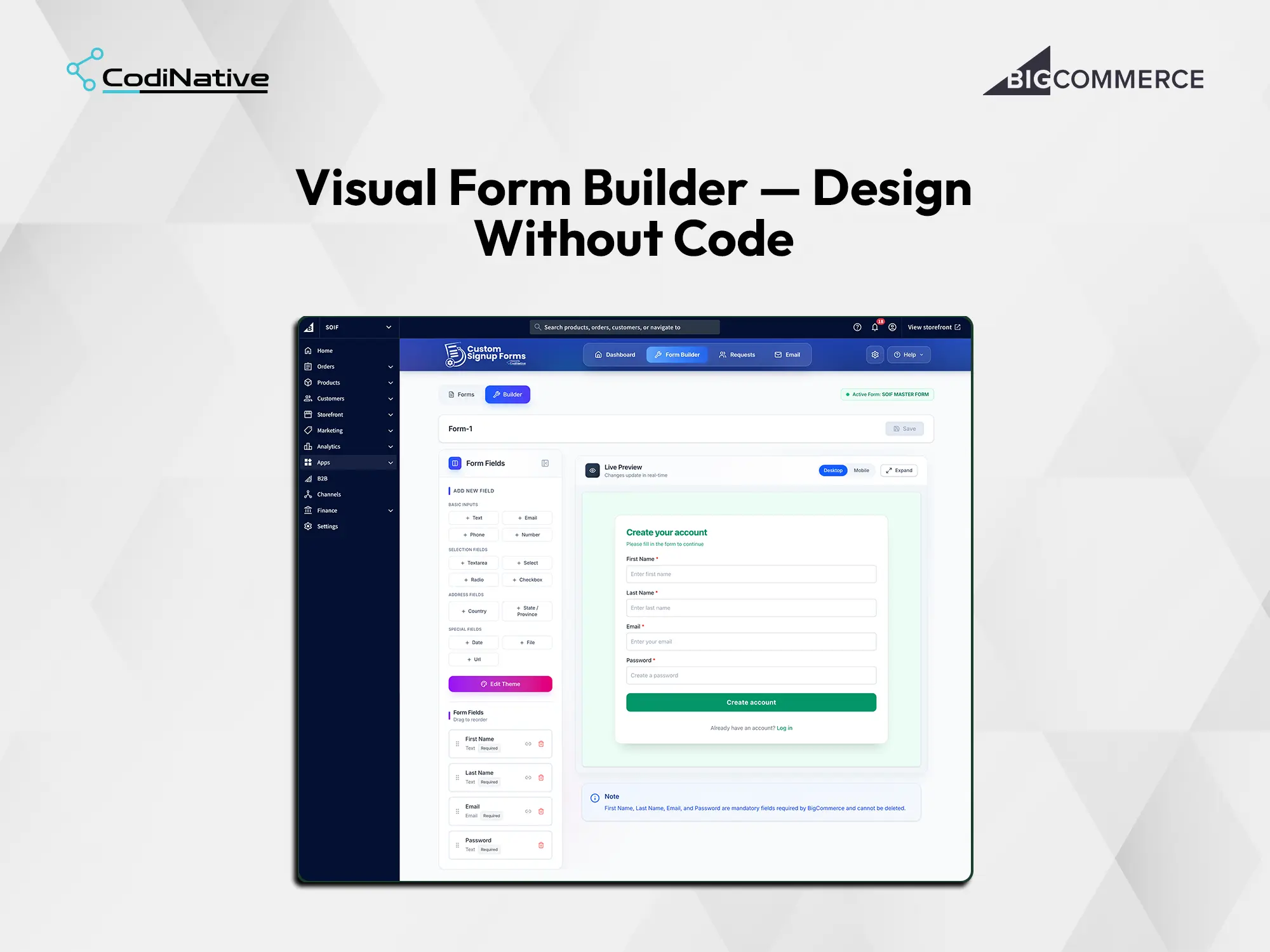
Visual Form Builder
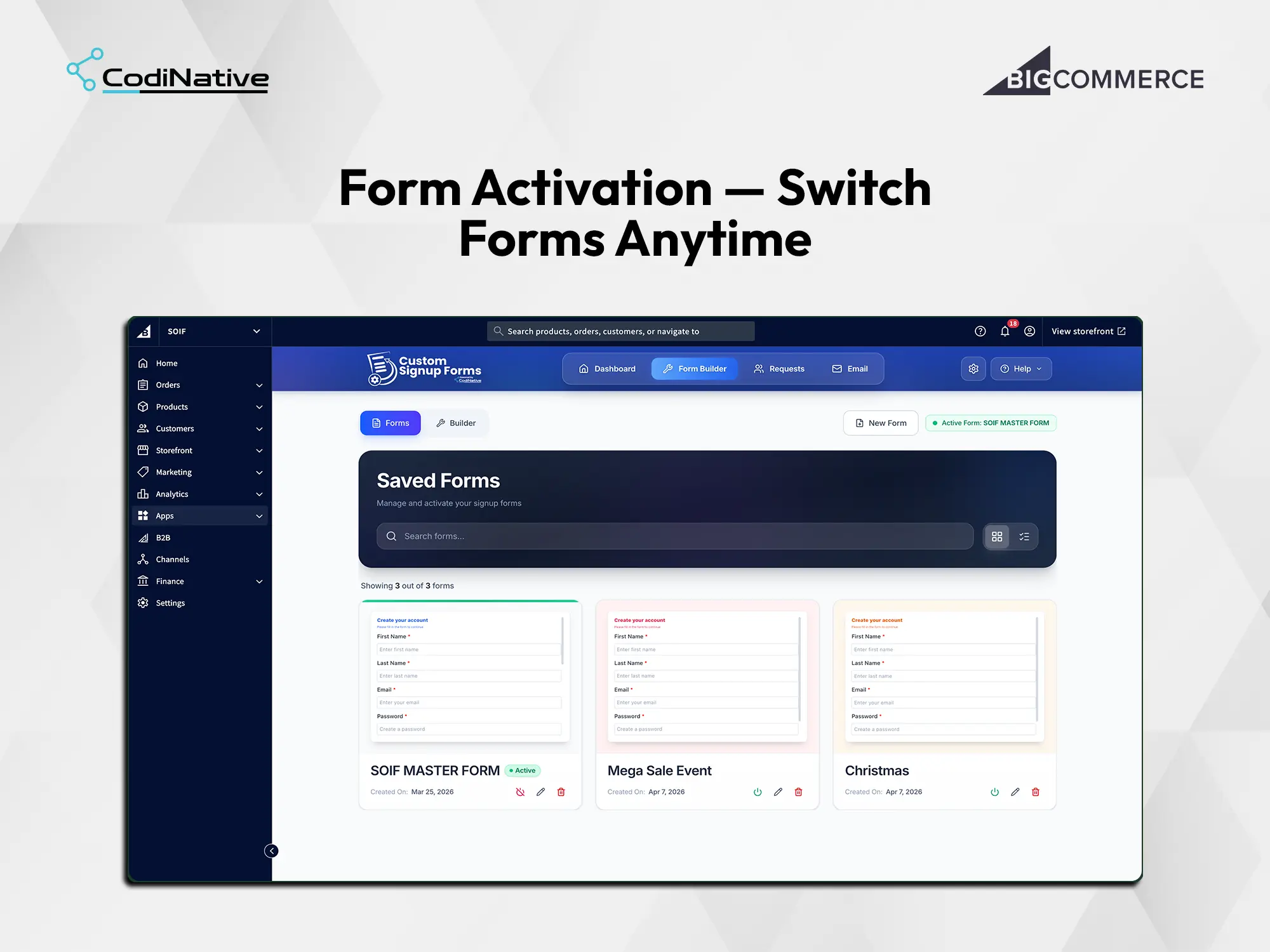
Multi-Form Management
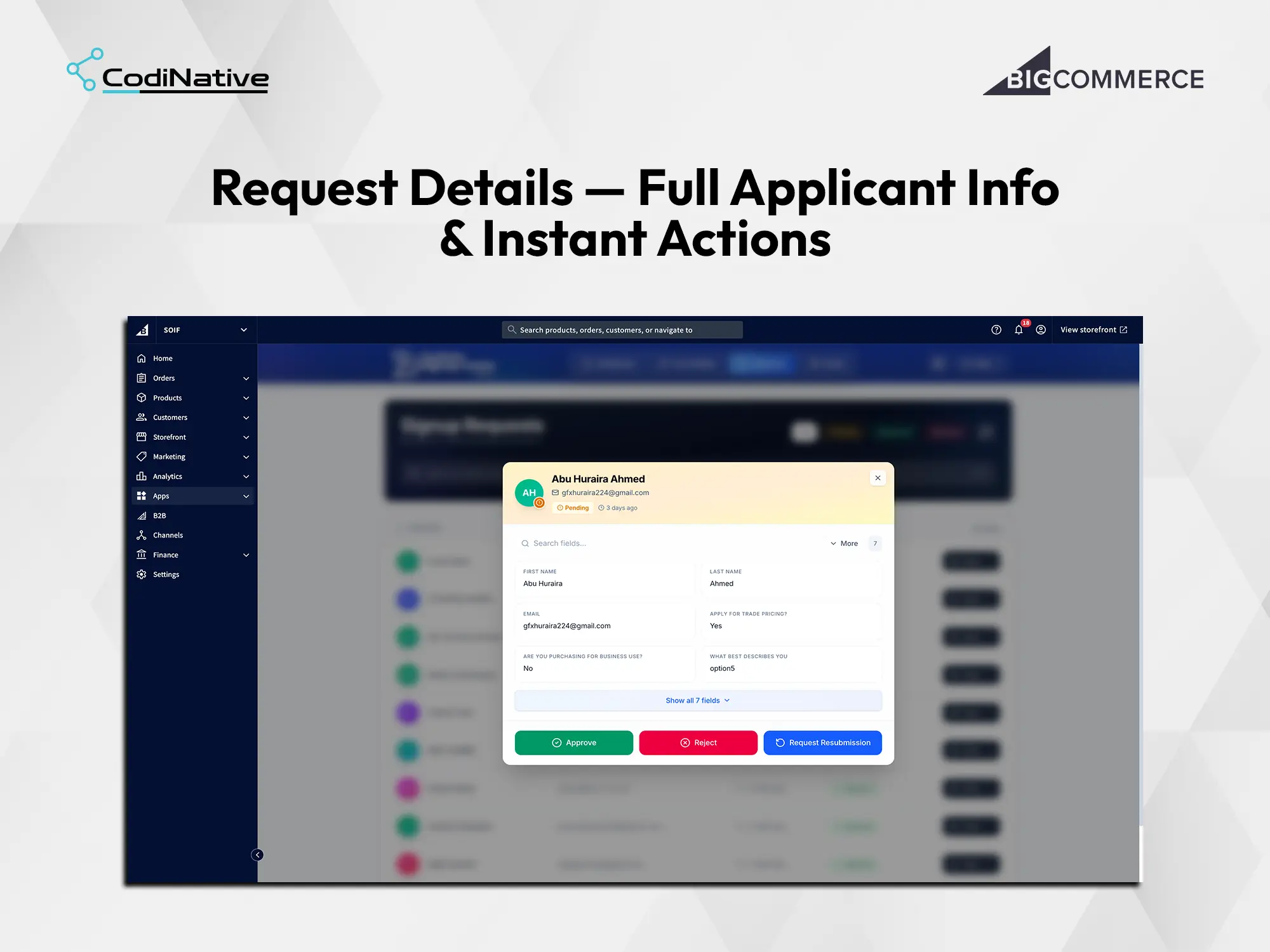
Approval Workflow
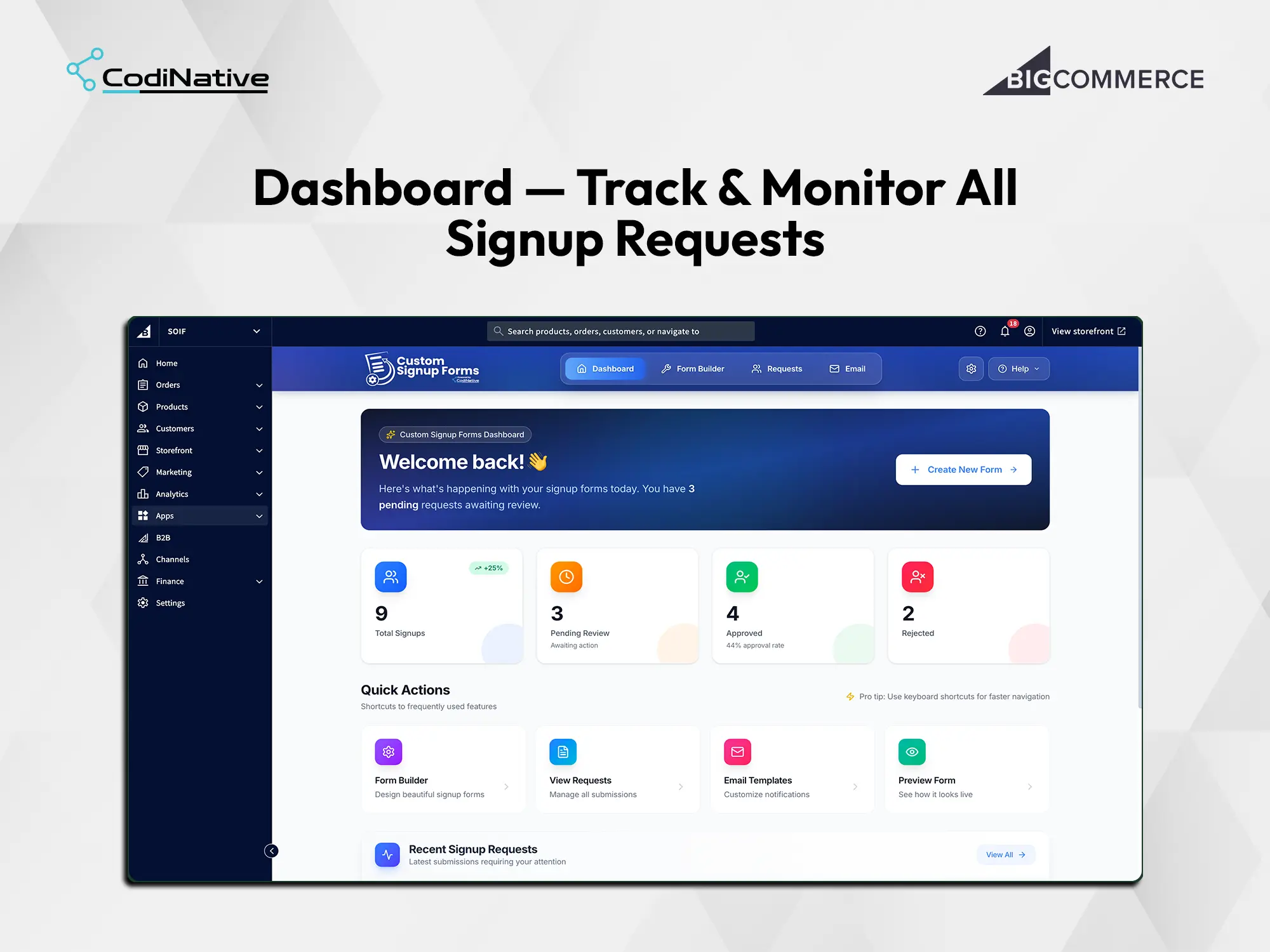
Analytics Dashboard
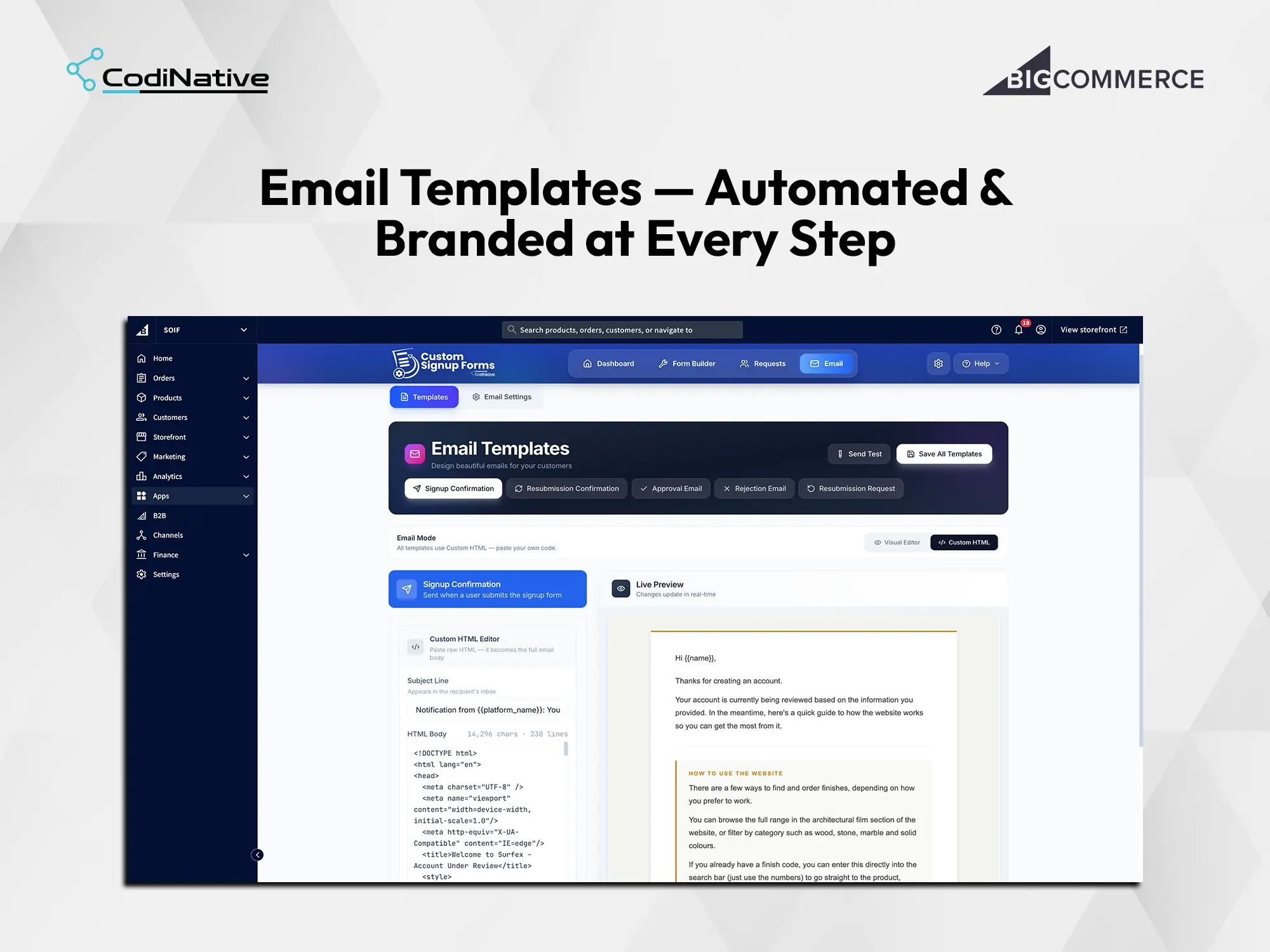
Branded Email Automation
BigCommerce Signup & Approval App: What Was Shipped
BigCommerce app with OAuth 2.0 install flow and native control panel Integration
No-code visual form builder 13 field types, live preview, theme editor
Multi-form library with independent configurations and one-click exclusive activation
Approval workflow engine Pending · Approved · Rejected · Resubmission
Filterable, searchable request management queue
Applicant detail view with full submission data and instant action buttons
Five branded transactional email templates merge variables, Custom HTML, live preview
Analytics dashboard with real-time approval rate and recent submissions
Native BigDesign UI throughout matches BigCommerce admin exactly
Custom Signup Forms & Approval Workflow App FAQ's
What is a custom signup form app for BigCommerce?
It replaces the native BigCommerce customer registration with a configurable form that routes every submission into a merchant-controlled approval workflow. The merchant collects whatever data the business needs, reviews applications from a centralized dashboard, and approves or rejects them before a customer account is created in BigCommerce through the REST API v3. It installs directly into the control panel through the App Development Framework no third-party dashboard, no separate login.
Why does this need to be a BigCommerce app and not a script or plugin?
A script tag renders a form in the storefront but cannot create customers, listen to Webhooks, or build an admin UI inside the BigCommerce control panel. The App Development Framework provides OAuth 2.0 authentication and authorized REST API v3 access both required for an approval workflow that produces real customer records with full attribute data in BigCommerce. Any solution not built on the App Development Framework has no reliable path to the customer API.
What OAuth scopes does the app request?
Three at install. store_v2_customers to create approved customers through the REST API v3. store_themes_manage to inject the active form into the storefront via the Scripts API. store_v2_information_read_only for store context currency, locale, platform name. No payment, order, catalog, or financial data scopes are requested.
Does this app support B2B and wholesale onboarding on BigCommerce?
Yes. The approval workflow, custom fields for business qualification trade pricing eligibility, company type, purchase intent, order volume and the applicant detail view with instant actions make this a direct fit for wholesale gating, trade pricing programs, B2B Edition onboarding, and any merchant who needs to qualify buyers before granting account access.
Can merchants switch between different signup forms for different campaigns?
Yes. Every saved form keeps its own field configuration and theme independently. Merchants build once, deactivate after the campaign, reactivate next time with one toggle. Nothing is rebuilt. Wholesale forms, seasonal forms, and standard forms all live in the same library and switch in a single click.
What happens the moment a merchant approves an applicant?
Two things fire simultaneously. The app calls the BigCommerce REST API v3 Customers endpoint and creates the account with all submitted form fields mapped to the correct customer attributes. The Approval email template dispatches immediately with the applicant's merge variables populated. The applicant's record in the queue updates to Approved and stays there for audit.
Can this be built as a private app for one store instead of a marketplace app?
Yes. Codinative builds both App Marketplace apps and private single-client apps. A private app installs into one store only, carries the merchant's branding throughout, and bypasses the marketplace review timeline. It is the right choice when the app handles logic specific to one merchant's operation.
How long does it take to build a BigCommerce app like this?
Six to ten weeks from discovery to App Marketplace submission. That covers OAuth setup, REST API v3 integration, dashboard UI, cross-device QA, and the BigCommerce security review. Private apps without the marketplace review run slightly faster.
Is there a step-by-step setup guide for this app?
Yes. The Custom Signup Forms user guide walks through configuring the form fields, approval workflow and OAuth scopes end to end.
- Verified BigCommerce Partner