
- BigCommerce / Store Redesign / Conversion UX
InsideOut Hardware: BigCommerce Store Redesign & Conversion UX
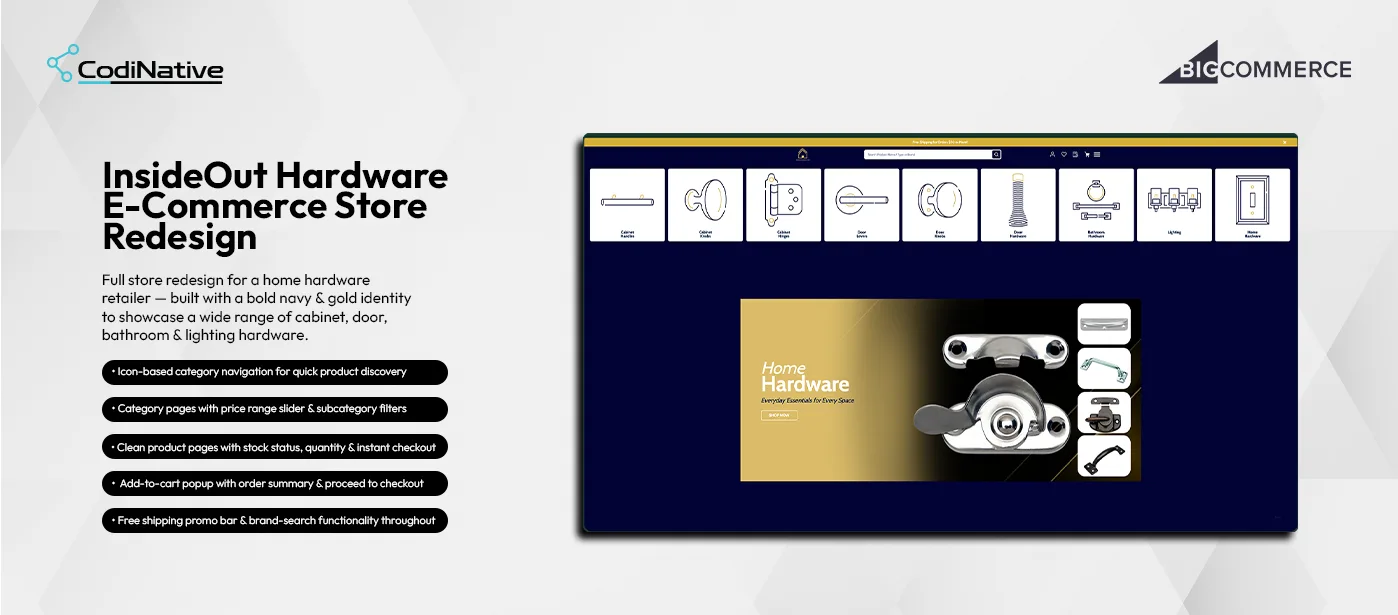
- before
The Problem: A Generic Storefront With No Filtering or Stock Visibility
InsideOut Hardware sells cabinet handles, door knobs, hinges, bathroom hardware, lighting and more across hundreds of SKUs. The existing store lacked a premium brand identity, making it look generic against specialist hardware competitors. Category navigation was text-only and slow to scan. Category pages had no sidebar filters so customers had to scroll through dozens of products to find the right specification. Product pages did not show stock status, creating hesitation at the point of purchase. There was no add-to-cart confirmation — customers had no way of knowing their item was added without navigating to the cart manually.
- After
The Solution: A Conversion-Focused BigCommerce Stencil Redesign
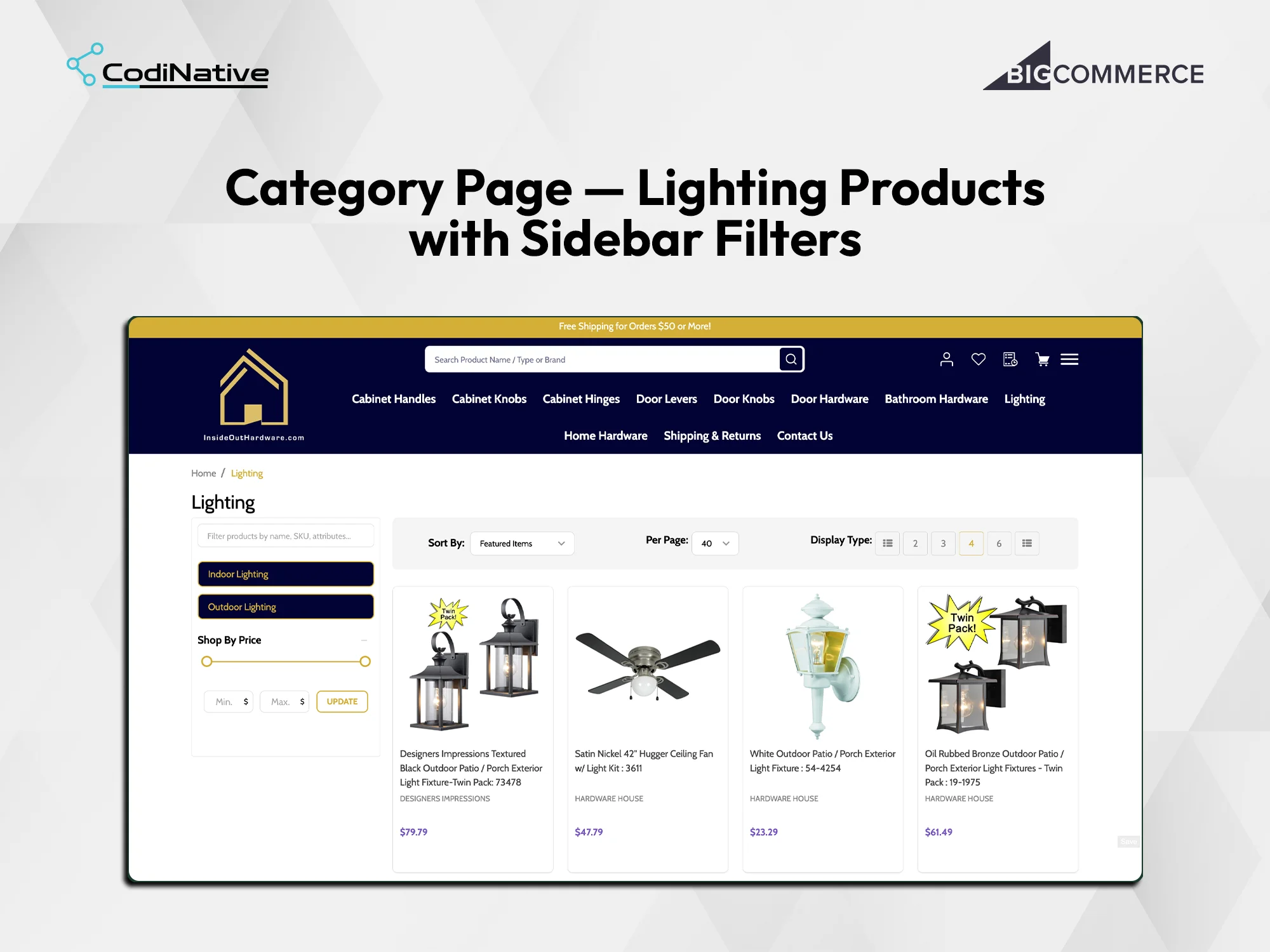
Codinative redesigned the full BigCommerce store with a bold navy and gold identity that positions InsideOut Hardware as a premium destination. A horizontal icon-based category navigation bar gives every customer an instant visual map of the product range. Category pages include subcategory filters and a price range slider so customers narrow to the right product in seconds. Product pages show live stock status, quantity selectors and three distinct purchase CTAs. An add-to-cart popup confirms item additions and drives immediate checkout conversion. A structured cart page with coupon input and a prominent Checkout Now CTA completes the purchase funnel.
InsideOut Hardware Store Redesign: Situation, Task, Action, Result
The Situation: No Premium Identity, Filtering, or Stock Visibility
The Task: Redesigning Every Core Page on BigCommerce Stencil
The Action: Custom Stencil Templates From Homepage to Cart
The Result: A Complete Conversion Funnel From Landing to Checkout
- Approval Workflow
- Branded Emails
- REST API v3
- OAuth 2.0
- Webhooks
Core Features of the BigCommerce Store Redesign
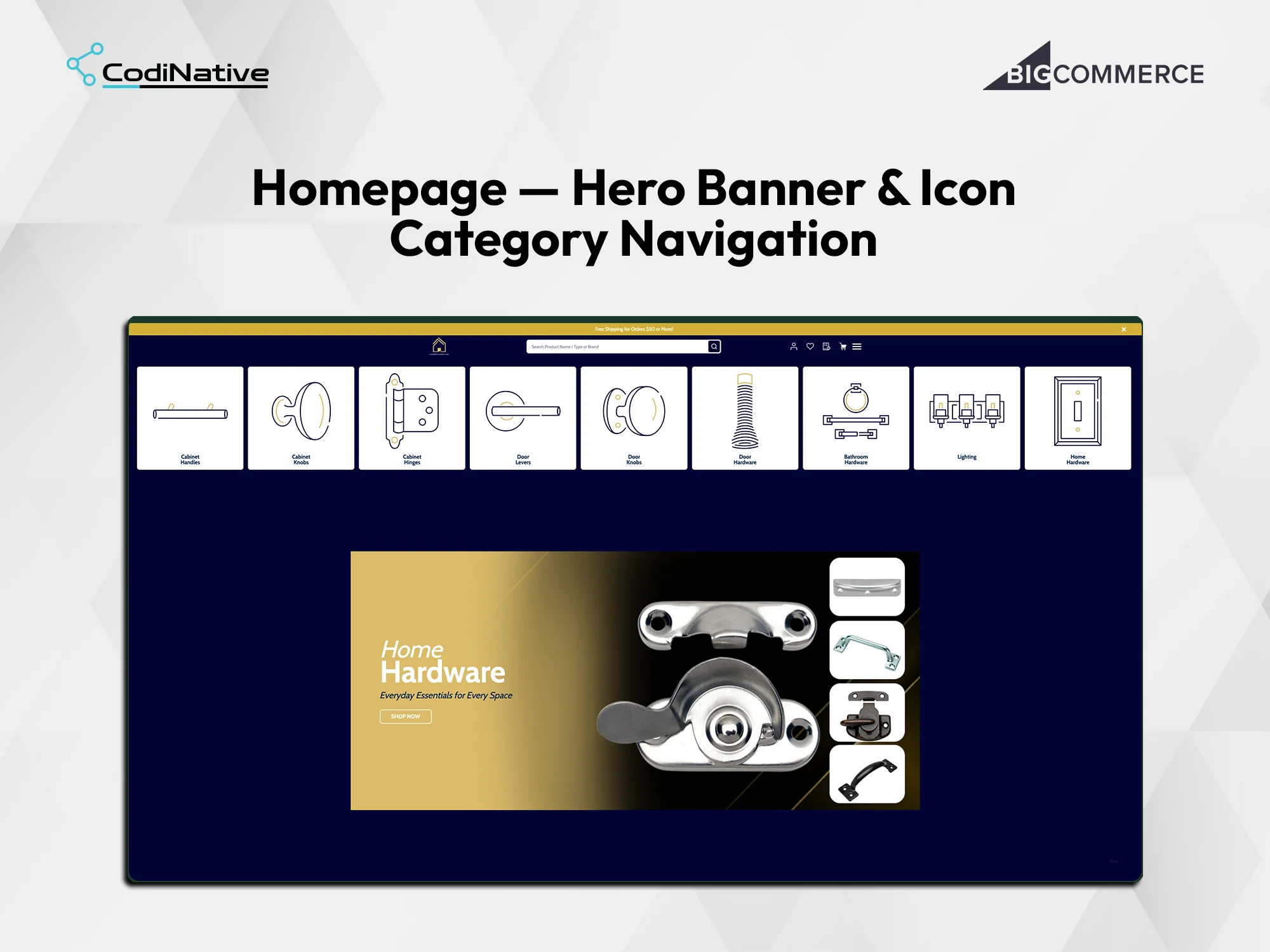
Homepage: Hero Banner and Icon Category Navigation
Category Page: Lighting Products with Sidebar Filters and Price Slider
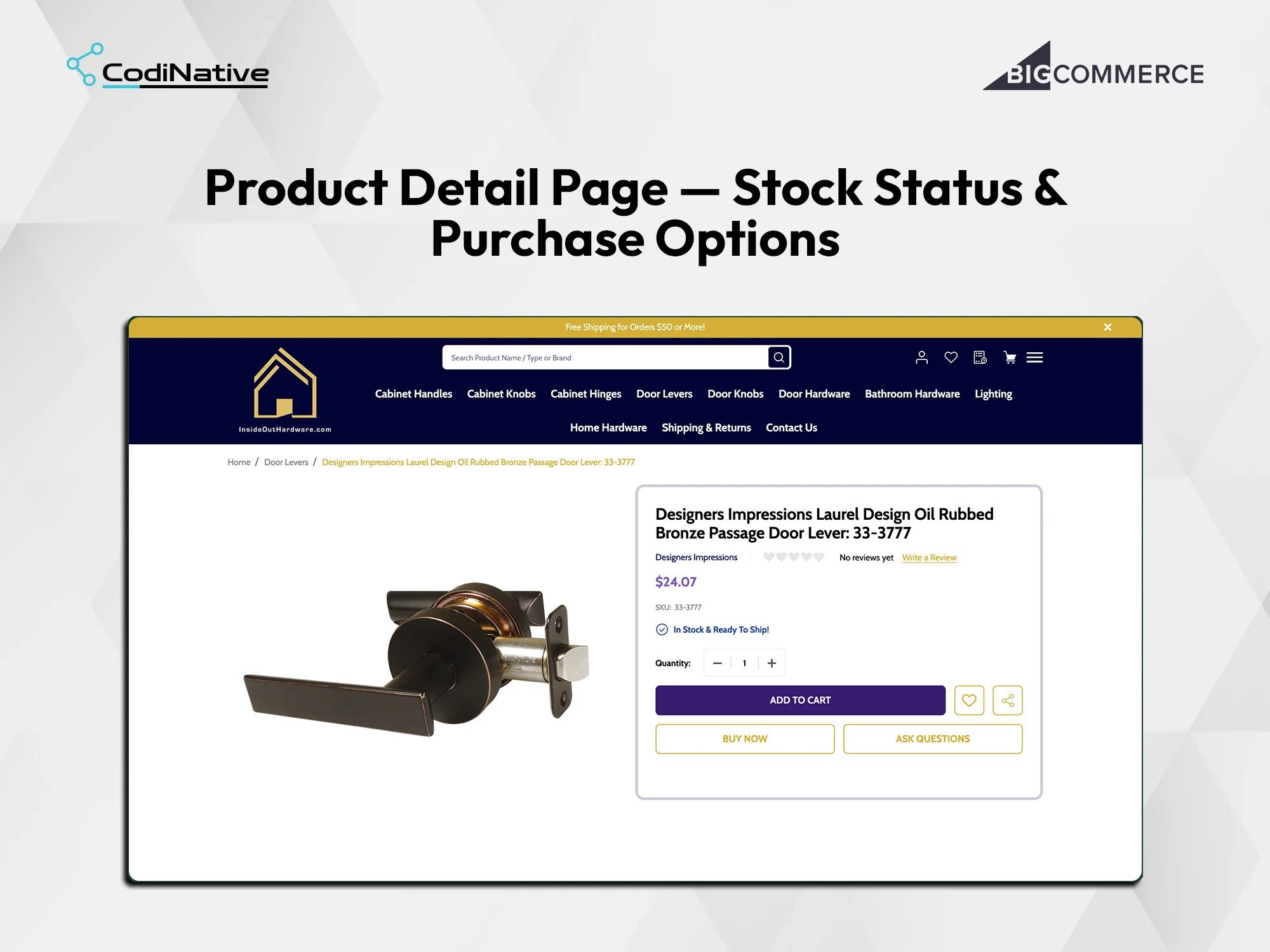
Product Detail Page: Stock Status and Purchase Options
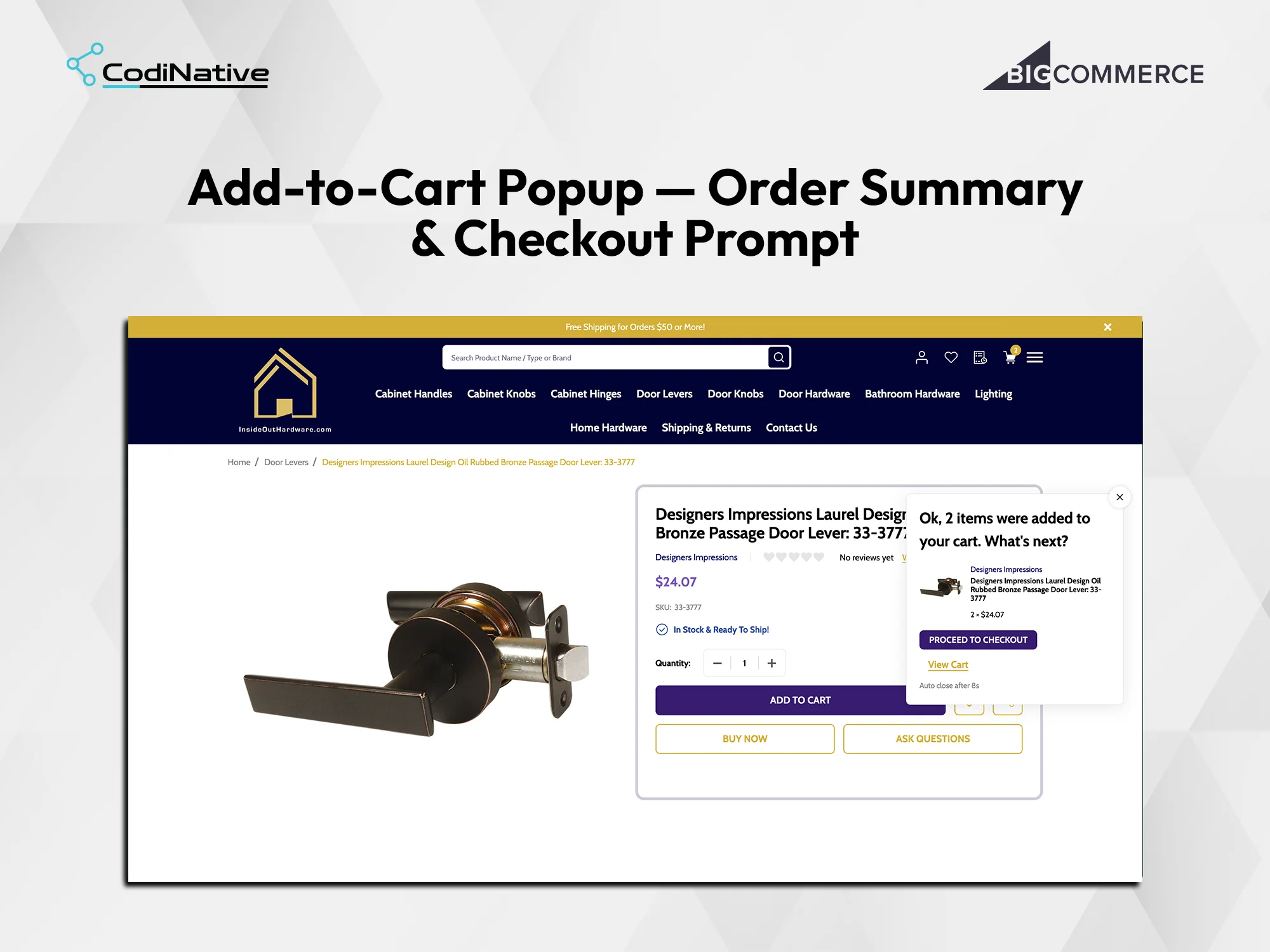
Add-to-Cart Popup: Order Summary and Checkout Prompt
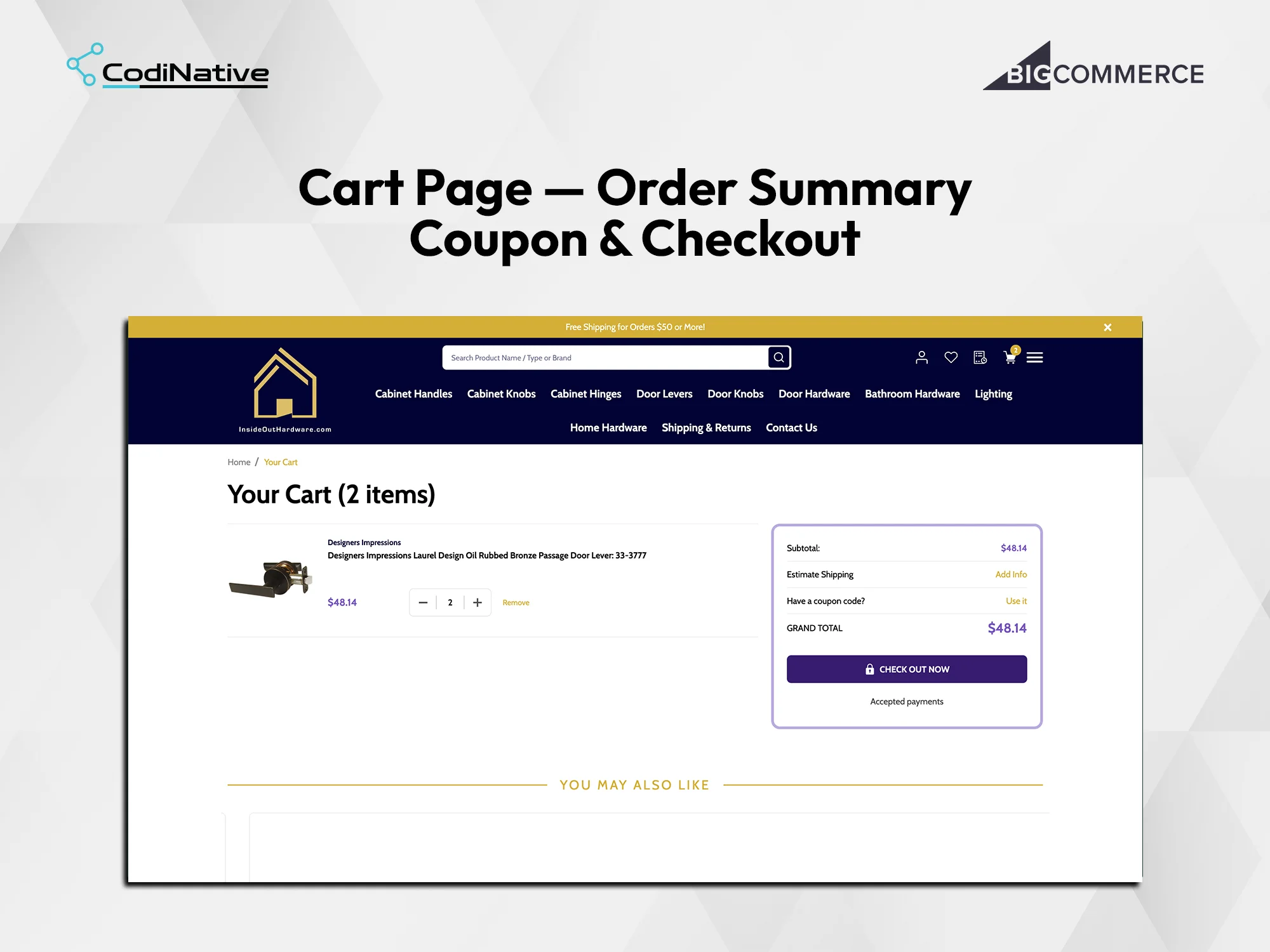
Cart Page: Order Summary, Coupon Code and Checkout Flow
InsideOut Hardware Store Redesign: What Was Shipped
Navy and gold brand identity system applied across all BigCommerce Stencil templates
Nine-tile icon category navigation bar as a custom Stencil section on the homepage
Full-width hero banner with campaign headline, sub-copy and Shop Now CTA
Free shipping promotional bar — dismissable and configurable via theme editor
Category page template with sidebar text filter, subcategory buttons and price range slider
Sort By, Per Page and Display Type grid controls on all category pages
Product page with live stock status badge from Stencil context — no JavaScript required
Three product page CTAs: Add to Cart, Buy Now and Ask Questions
Add-to-cart popup with product confirmation, Proceed to Checkout and auto-close after 8 seconds
Cart page with item list, order summary panel, coupon code input and grand total
You May Also Like upsell row on the cart page for cross-sell before checkout
Fully responsive layout across desktop, tablet and mobile viewports
InsideOut Hardware BigCommerce Store Redesign FAQ's
What is icon-based category navigation on a BigCommerce store?
Icon-based category navigation replaces text-only navigation links with visual icon tiles displayed in a horizontal row below the header. On BigCommerce this is built as a custom Stencil section with Handlebars.js, each tile linking directly to a category URL. Customers identify the product category they need in one glance without reading a dropdown menu — particularly useful for stores with many distinct product types like InsideOut Hardware.
How does a BigCommerce category page price slider filter work?
A price range slider on a BigCommerce category page uses a custom JavaScript range input that filters displayed products by minimum and maximum price. The slider updates the URL query string and re-renders the product grid without a full page reload. Subcategory filter buttons above the slider let customers narrow by product type before applying the price range. Both controls are built in vanilla JavaScript and integrated with the BigCommerce Stencil category template.
What is an installer network sign-up section on BigCommerce?
Yes. A full BigCommerce store redesign requires a custom Stencil theme built in Handlebars.js and SCSS. Each page template — homepage, category, product, cart — is customised independently. Custom sections, global CSS variables for the brand colour system and Stencil component overrides give the store its distinct visual identity without relying on a third-party page builder app.
What is an add-to-cart popup on BigCommerce and how is it built?
An add-to-cart popup is a confirmation modal that appears after a customer clicks Add to Cart. It shows the product added, quantity, price, a Proceed to Checkout button and a View Cart link. On BigCommerce it is built by intercepting the Stencil cart.js add-to-cart event and rendering a custom modal with vanilla JavaScript and CSS. It auto-closes after a configurable delay and removes the need for a full page redirect to the cart.
How does the BigCommerce product page show live stock status?
BigCommerce Stencil exposes inventory data through the product context object in Handlebars. The product template reads the stock status and renders a green In Stock and Ready to Ship badge when inventory is available. The badge is a custom Stencil partial that checks the product.stock_status context variable and outputs the correct indicator without any JavaScript required.
How long does Codinative take to redesign a full BigCommerce store?
A full BigCommerce store redesign covering a custom homepage, category pages with sidebar filters, product pages with stock indicators, an add-to-cart popup and a cart page with coupon and checkout flow takes Codinative eight to twelve weeks from discovery to live deployment, including responsive QA across devices and browser testing.
- Verified BigCommerce Partner