
Rosa Scrubs: “Build Your Set” Custom Bundle Builder on BigCommerce
- before
The Problem: A Coordinated Set Split Across Three Separate Pages
Rosa Scrubs sells medical scrub sets a top, pants, and optional accessories like a scrunchie that customers buy together as a coordinated outfit. The product is inherently a bundle. A nurse or healthcare worker choosing scrubs is not picking a single item. They are picking a color, a top size, a pants size, and whether they want the matching accessory four decisions that belong together in one flow.
BigCommerce’s default product structure handles each of these as a separate product on a separate page. A customer who wanted a complete set had to visit the scrub top page, choose a color and size, add to cart, navigate back, find the matching pants, choose the same color, choose a different size because pants fit differently, add to cart again, then find the scrunchie separately. Three pages, three separate add-to-cart actions, and a color coordination problem the customer had to manage themselves across multiple browser tabs.
The existing flow made a simple purchase feel fragmented. Customers who landed expecting to buy a set had to work to assemble one. That friction costs conversions particularly for a brand whose entire identity is the coordinated set.
- After
The Solution: A Single-Page Guided Set Builder
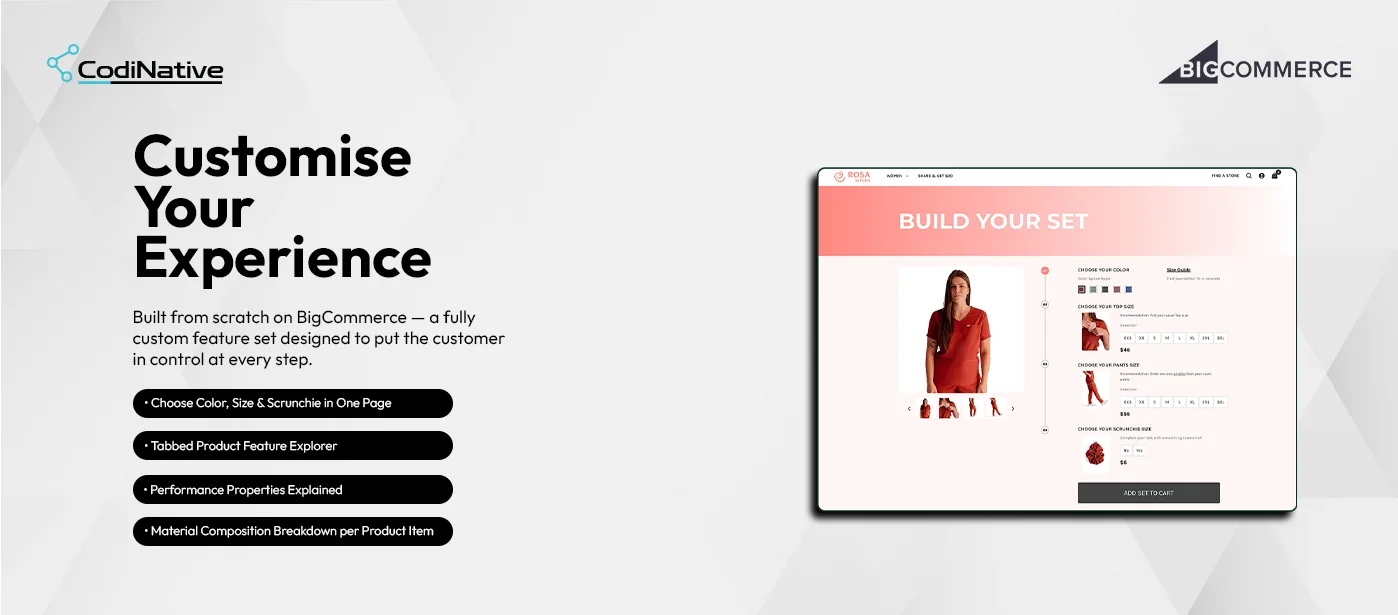
Codinative built a fully custom Build Your Set page on BigCommerce Stencil a single-page guided experience where customers make all four decisions in one place and add the complete set to cart in one action.
The page opens with a product image of the current color selection and a numbered step flow on the right: Choose Your Color, Choose Your Top Size, Choose Your Pants Size, Choose Your Scrunchie Size. Each step shows a product thumbnail, a sizing recommendation specific to that item, size options from XXS through 3XL, and the unit price. The product image updates to reflect the selected color. When every selection is made, a single Add Set to Cart button submits all items top, pants, scrunchie to the BigCommerce Storefront Cart API in one call.
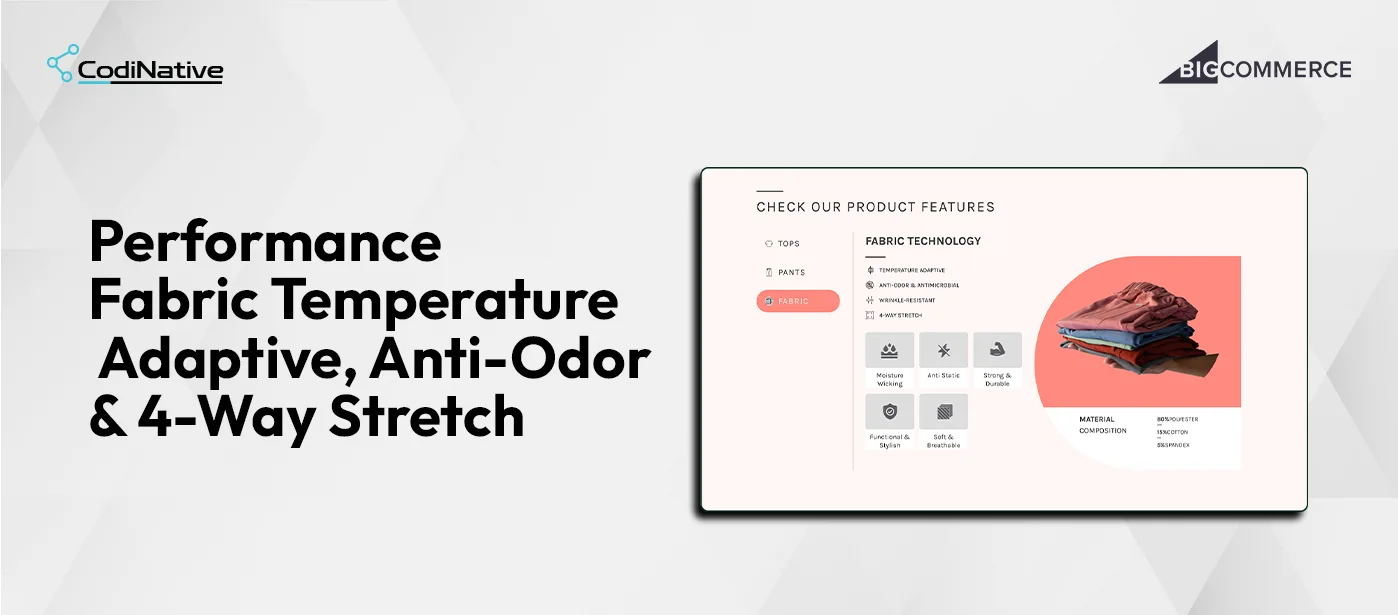
A separate Check Our Product Features section uses a three-tab interface Tops, Pants, Fabric to let customers explore what they are buying before committing. Each tab surfaces the product name and fit type, four performance properties with icons, a six-item feature gallery with real product photography, and a material composition breakdown showing exact percentages.
Rosa Scrubs Bundle Builder Development: Situation, Task, Action, Result
The Situation: Color Coordination Left to the Customer Across Pages
The Task: Building a One-Page Guided Set Selection Flow
The Action: Four Steps, One Cart Call, on BigCommerce Stencil
The Result: One Guided Flow, One Add-to-Cart Action
- Approval Workflow
- Branded Emails
- REST API v3
- OAuth 2.0
- Webhooks
Core Features of the BigCommerce Bundle Builder
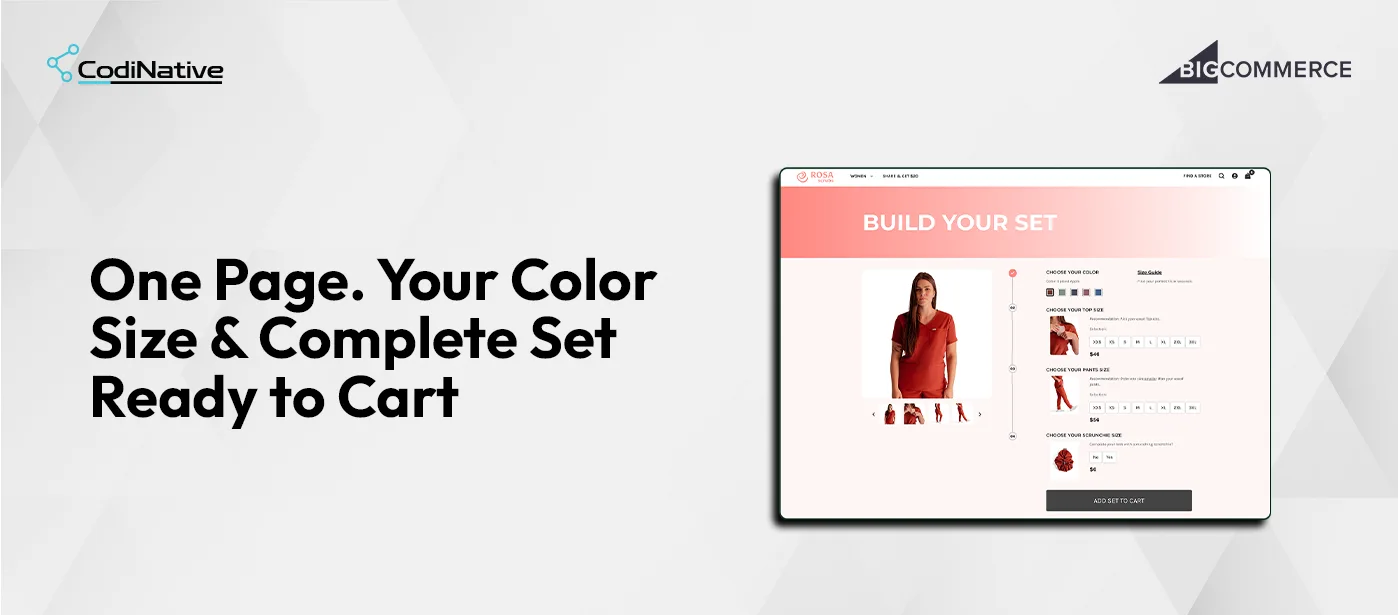
Build Your Set: Four-Step Guided Selection
Real-Time Color Image Update

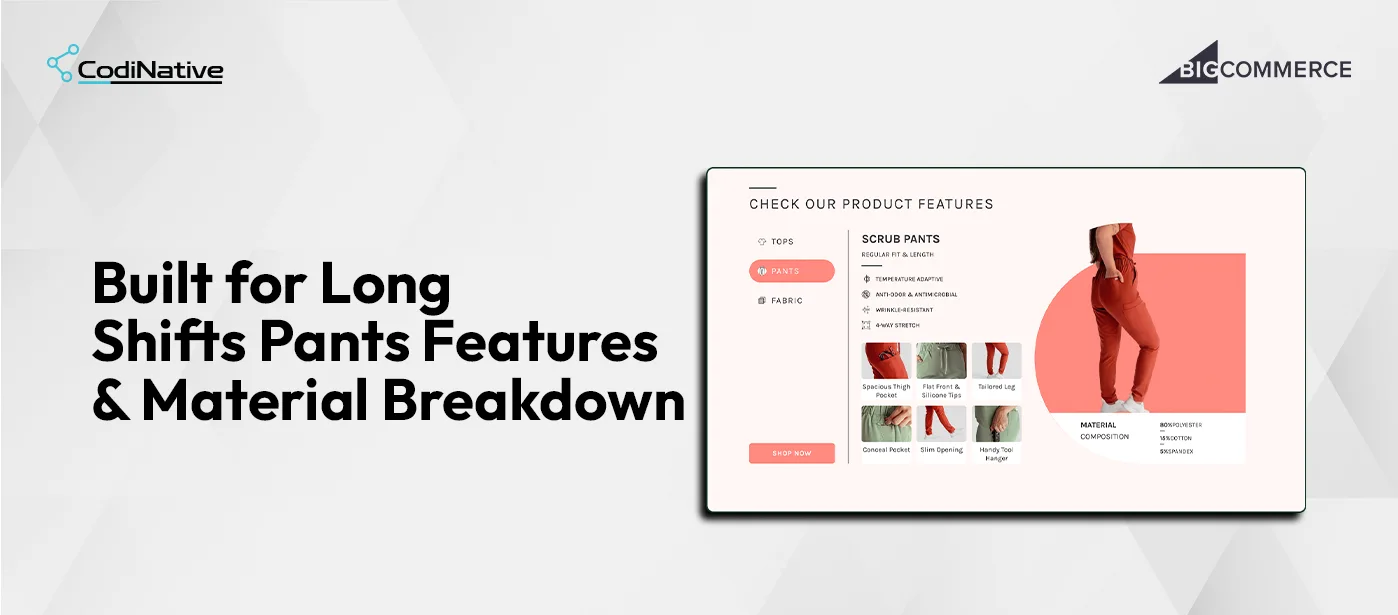
Tabbed Product Feature Explorer
Single Add Set to Cart via Storefront Cart API
Rosa Scrubs Bundle Builder: What Was Shipped
Custom Build Your Set page on BigCommerce Stencil no third-party app or plugin
Four-step guided selection flow color, top size, pants size, scrunchie toggle
Real-time color image update on swatch selection via JavaScript image swap
Per-step sizing recommendations specific to each product item
Size grids XXS through 3XL with clear selected state styling
Single Add Set to Cart button all selected variants submitted in one Storefront Cart API call
Existing cart session detection adds to current cart rather than creating a new one
Tabbed product feature explorer Tops, Pants, Fabric tabs
Per-tab content product name, fit type, four performance properties, six-image feature gallery with captions
Material composition breakdown per item with exact percentages
Full Rosa Scrubs brand system coral accent color, typography, and layout applied throughout
Responsive layout functions correctly on desktop and mobile viewport sizes
Rosa Scrubs Bundle Builder FAQ's
What is a custom product bundle builder on BigCommerce?
A custom bundle builder on BigCommerce is a single-page experience that lets customers select multiple related products each with their own variants and add them all to cart in one action. It is built on BigCommerce Stencil using the Storefront Cart API to batch multiple product line items into a single cart request. It is not a native BigCommerce feature and cannot be configured through the admin it requires custom Stencil development.
How does the single Add Set to Cart work across multiple BigCommerce product IDs?
The Storefront Cart API accepts a lineItems array in a single POST request. Each item in the array carries a productId, variantId, and quantity. When the customer clicks Add Set to Cart, JavaScript collects the selected variant IDs for the top, pants, and scrunchie and submits them together in one array. BigCommerce processes all three as a single cart operation. The customer sees one cart update rather than three.
How does the color image update work without a page reload?
BigCommerce's native variant image system is per-product it cannot update an image based on a color selection that spans multiple product IDs on the same page. The color-to-image mapping is stored as a JSON object rendered into the Stencil template via Handlebars.js at page load. When a color swatch is clicked, JavaScript reads the color key from the clicked element, retrieves the corresponding image URLs from the pre-rendered JSON object, and updates the main image and thumbnail carousel source attributes. No API call is made the swap is instantaneous.
Why does the pants sizing recommendation tell customers to go one size smaller?
This is the actual Rosa Scrubs sizing guidance for their pants product. The recommendation "Order one size smaller than your usual pants" is surfaced on the pants step to prevent the most common return reason customers who buy their usual size in pants and find them too large. Surfacing this recommendation at the point of size selection, before the item is in the cart, reduces post-purchase dissatisfaction without requiring any customer service interaction.
Can this type of bundle builder be built for other BigCommerce stores?
Yes. The pattern Stencil template with a JSON configuration object, JavaScript-driven step selection, and Storefront Cart API batch submission applies to any BigCommerce store that sells products customers naturally buy together. Apparel sets, skincare routines, tool kits, uniform packages. The number of steps, the product IDs, the sizing recommendations, and the tab content all come from the template configuration. A new bundle page for a different product set requires updating the configuration, not rewriting the implementation.
Does this require a BigCommerce app or plugin?
No. The entire implementation lives in a custom BigCommerce Stencil page template, a JavaScript file, and a CSS file. There is no third-party app, no monthly subscription, and no external dependency beyond the native BigCommerce Storefront Cart API that is available on every BigCommerce store.
How long does it take Codinative to build a custom bundle builder like this?
A custom BigCommerce bundle builder of this scope guided step flow, color image swap, per-step sizing recommendations, tabbed feature explorer with photography, and Storefront Cart API batch submission takes Codinative three to six weeks from discovery to live deployment, depending on the number of products in the bundle and the complexity of the feature content.
- Verified BigCommerce Partner